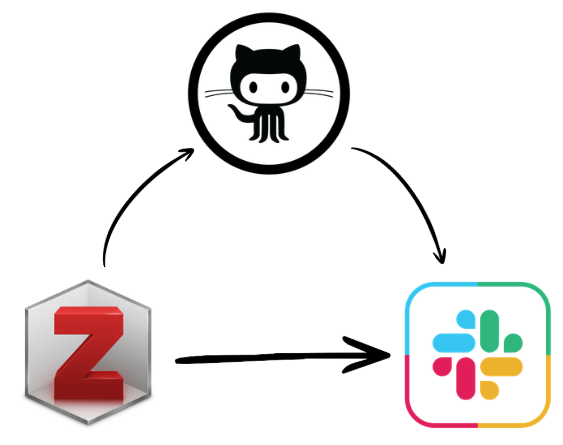
zotero-slack-alert
This repo & template describes the implementation of a Zotero-Slack alert system: getting a notification in a Slack channel when new items are added to a Zotero library.
It assumes that you have:
- A Zotero account and access to a personal/group library
- A Slack workspace and the necessary permissions to create a webhook for a channel.
- A GitHub account to host the workflow and secrets.
Hands on
Create a repo from this template: github.com/juancarloscastillo/zotero-slack-alert/generate. You can change the name of the repor if you want. This repo will generate the alert via a GitHub Action workflow.
Get the required pieces of information (“secrets”) to set up the workflow:
| Secret name | How to get it |
|---|---|
SLACK_WEBHOOK |
Go to Slack Incoming Webhooks. 1. Select the workspace in the up-right corner 2. Click “Add to Slack” 3. Choose the channel |
ZOTERO_API_KEY |
Create an API key in Zotero account settings (API Keys) with permissions for the target group/library. IMPORTANT: enable Read access to groups and Read access to items. Copy and save the generated key. |
GROUP_ID |
Go to your Zotero web library and copy the number in the URL after groups, for example https://www.zotero.org/groups/<group_id_number>/... |
COLLECTION_KEY (optional) |
In Zotero, open the folder/collection you want to monitor and copy the code that appears after collections in the URL. Example: in .../collections/25QRNU6T/collection, the key is 25QRNU6T. |
INCLUDE_SUBCOLLECTIONS (optional) |
Set true to include items from nested subcollections, or set false (or leave unset) to monitor only the selected collection. |
Optional features are described at the end of this README.
Now settings the secrets in Github
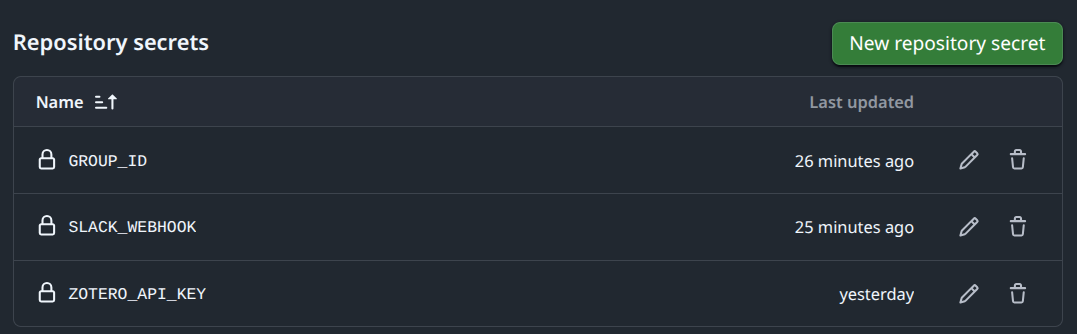
Now you just need to set up these pieces of information as “Github Secrets” in the repository settings. This way, the GitHub Action workflow can access them securely when it runs. For this:
- go to the repository on GitHub, click on “Settings” (top right), then “Secrets and variables” > “Actions” > new repository secret
- to set up the
GROUP_IDsecret, enterGROUP_IDas the name and paste the group/library ID, then click “Add secret” - do the same for the other required values, so at the end you should have these three required secrets:
GROUP_ID,ZOTERO_API_KEY, andSLACK_WEBHOOK, and optionallyCOLLECTION_KEYandINCLUDE_SUBCOLLECTIONS.
Triggering the workflow
The workflow will automatically run on a schedule (default is every 5 minutes) or can be triggered manually. For the manual trigger, you can go to the “Actions” tab in your GitHub repository, select the workflow, and click on “Run workflow”.
Optional feature: alert within an existing repository
This template is designed to be used as a standalone repository, but you can also integrate it into an existing repository if you prefer.
For this:
- create a new folder in the root of your existing repository, for example
zotero-slack-alert-main, and copy the contents of this template into that folder. - update the path to the script in the .github/workflow/zotero.yml file:
- search for the line containing
run: python zotero_alert.py - add the name of your repo before. For instance, if your repo is called
my-repo, change the line to:run: python my-repo/zotero_alert.py
- search for the line containing